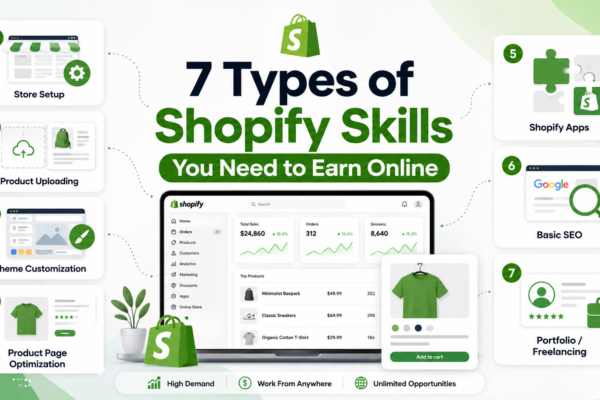
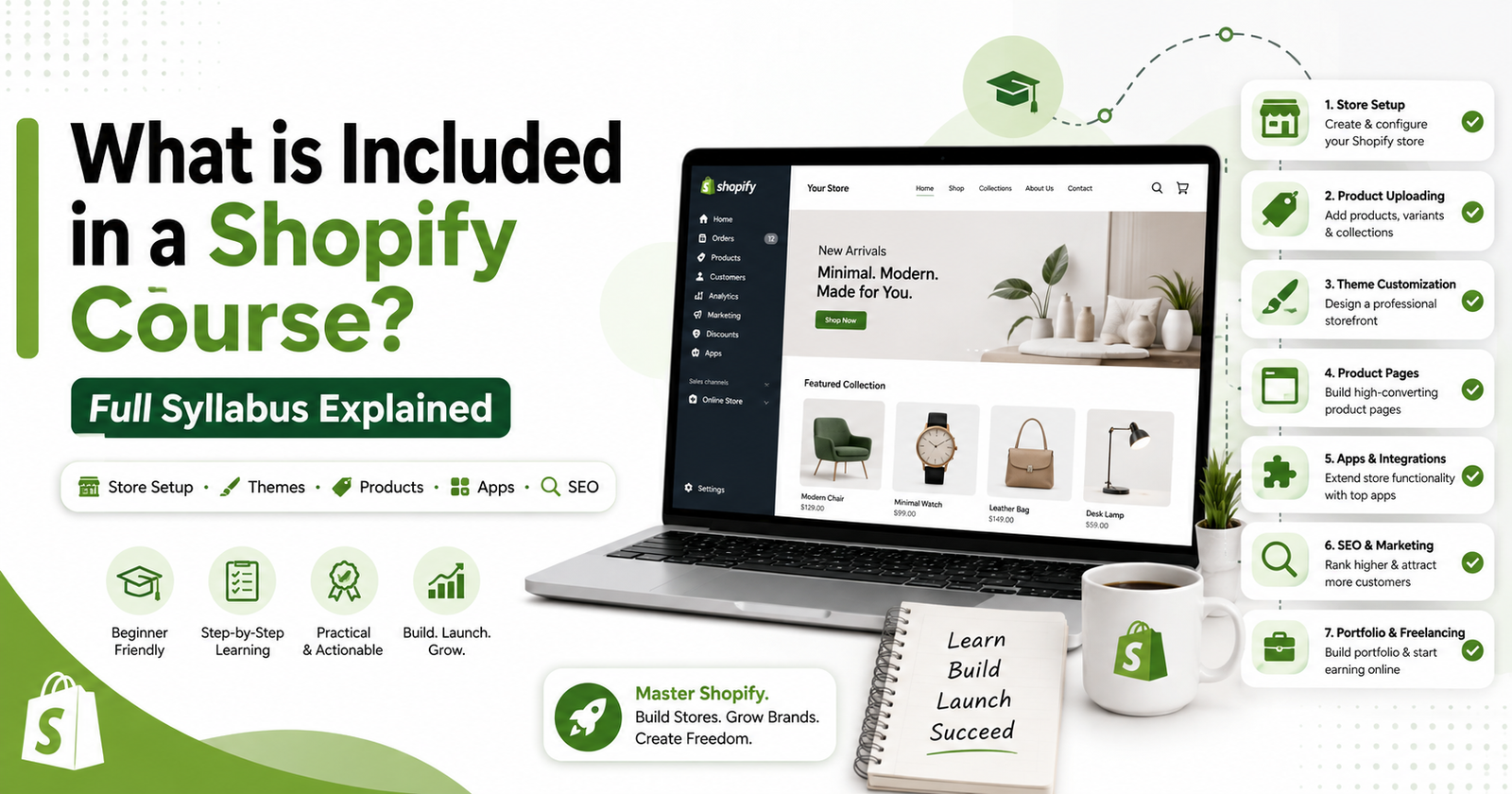
What is Included in a Shopify Course? Full Syllabus Explained
Introduction
Many beginners want to learn Shopify, but they do not know what a good Shopify course should teach. Some courses only explain basic store setup. Some focus only on dropshipping. Some give random videos without a proper roadmap.
This is why understanding Shopify course content is very important before joining any course.
A good Shopify course should teach you how to create, design, manage, and improve a Shopify store step by step. It should not only show you buttons inside Shopify. It should help you understand ecommerce, store design, product pages, apps, SEO, and portfolio building.
In this guide, we will explain the full Shopify course syllabus in simple words so beginners can understand what they should learn before starting.
What is a Shopify Course?
A Shopify course is a training program that teaches you how to build online stores using Shopify.
Shopify is an ecommerce platform. It helps businesses sell products online through a professional store. A Shopify course teaches you how to set up that store, add products, customize design, install apps, and prepare the store for customers.
A beginner-friendly Shopify course can help:
- Students
- Freelancers
- Job seekers
- Business owners
- Ecommerce beginners
- People who want to earn online
- People who want to build stores for clients
The goal of a Shopify course is to turn Shopify from a confusing platform into a practical skill.
Why Shopify Course Content Matters
Before joining any course, you should check the Shopify course content carefully. The syllabus tells you what you will learn and whether the course is useful for your goal.
A weak course may only teach:
- How to create an account
- How to add one product
- How to change theme colors
- How to install random apps
A strong Shopify course teaches the full process:
- Ecommerce basics
- Shopify dashboard
- Store setup
- Product uploading
- Theme customization
- Product page optimization
- Shopify apps
- Shopify SEO
- Store speed
- Portfolio building
- Freelancing guidance
This is why course content matters. It helps you avoid wasting time on incomplete training.
Complete Shopify Course Content for Beginners
Below is the complete syllabus that a good Shopify course should include.
1. Ecommerce Basics
Before learning Shopify, beginners should understand ecommerce.
This section should explain:
- What is ecommerce?
- How online stores work
- What is a product?
- What is a customer?
- What is checkout?
- What are orders and payments?
- What is shipping?
- What makes a store trustworthy?
Without ecommerce basics, Shopify can feel confusing. A good course should build your foundation first.
2. Shopify Dashboard Training
The Shopify dashboard is the main control area of the store. A course should explain each important section clearly.
You should learn:
- Home dashboard
- Products
- Orders
- Customers
- Analytics
- Marketing
- Discounts
- Online Store
- Themes
- Apps
- Settings
After this section, you should feel comfortable using Shopify.
3. Shopify Store Setup
Store setup is one of the most important parts of Shopify course content.
This section should teach:
- Creating a Shopify store
- Adding store name and details
- Setting up currency
- Adding basic store information
- Creating navigation menu
- Adding important pages
- Setting up policies
- Understanding checkout settings
- Connecting a domain
A proper store setup makes the store look complete and professional.
4. Product Uploading
Products are the heart of any Shopify store. A good course should teach how to upload products correctly.
You should learn how to add:
- Product title
- Product description
- Product images
- Product price
- Product variants
- Inventory
- Product tags
- Collections
- Product status
A product page should be clear, simple, and easy for customers to understand.
5. Shopify Theme Customization
A theme controls the design of a Shopify store. Beginners should learn how to customize themes without coding first.
This section should include:
- Choosing a theme
- Editing homepage
- Changing colors
- Changing fonts
- Adding banners
- Creating sections
- Editing header and footer
- Designing collection pages
- Improving mobile layout
Store design matters because customers judge a store quickly. If the design looks poor, customers may leave.
6. Product Page Optimization
A product page is where customers decide to buy or leave. This is a very important skill.
A good Shopify course should teach how to create product pages with:
- Clear product title
- High-quality images
- Simple description
- Product benefits
- Price
- Variants
- Reviews
- Trust badges
- Delivery details
- Clear buy button
Product page optimization helps increase trust and sales.
7. Shopify Apps
Shopify apps add extra features to the store. But beginners should not install too many apps.
A course should explain useful app categories like:
- Review apps
- SEO apps
- Email marketing apps
- Page builder apps
- Upsell apps
- Currency converter apps
- Speed optimization apps
- Tracking apps
A good course should also explain which apps to avoid because too many apps can slow down the store.
8. Shopify SEO Basics
SEO means Search Engine Optimization. It helps a store appear on Google.
Shopify SEO training should include:
- Product title SEO
- Meta title
- Meta description
- Image alt text
- Collection page SEO
- Blog basics
- URL structure
- Website speed basics
SEO makes your Shopify skill more valuable because businesses want free traffic from Google.
9. Store Speed and Mobile Optimization
Most customers use mobile phones. A Shopify store must look good and load fast on mobile.
This section should teach:
- Mobile-friendly design
- Image optimization
- Reducing unnecessary apps
- Simple layout
- Fast loading pages
- Clean navigation
- Easy checkout flow
A slow store can lose customers.
10. Portfolio Building
If you want to earn from Shopify, you need a portfolio. A portfolio shows your work to clients.
A Shopify course should guide you on creating:
- Demo store links
- Store screenshots
- Product page samples
- Homepage designs
- Before-and-after examples
- Store audit samples
- Practice projects
Even if you do not have clients, you can build demo stores and use them as portfolio work.
11. Freelancing Guidance
Many beginners learn Shopify because they want to earn online. So a good Shopify course should also include freelancing direction.
You should learn:
- What Shopify services to offer
- How to find clients
- How to present your portfolio
- How to communicate with clients
- How to price basic services
- How to start with small projects
This makes the course practical, not just educational.
What Skills Should You Learn in a Shopify Course?
A complete Shopify course should help you build these skills:
- Shopify store setup
- Theme customization
- Product uploading
- Product page optimization
- Shopify apps setup
- Basic SEO
- Store design
- Mobile optimization
- Portfolio creation
- Freelancing basics
These skills can help you build stores for yourself or for clients.
Free Shopify Learning vs Paid Shopify Course
You can learn some Shopify basics for free from YouTube, blogs, and tutorials. Free learning is good when you are just exploring Shopify.
But free content is often scattered. One video teaches store setup, another teaches apps, and another teaches dropshipping. Beginners may feel confused because there is no proper order.
A paid Shopify course is useful when it gives you:
- Clear roadmap
- Step-by-step lessons
- Practical projects
- Portfolio guidance
- Real examples
- Beginner-friendly teaching
- Freelancing direction
So, before joining any course, check the Shopify course content and make sure it teaches practical skills.
What a Good Shopify Course Should Include
Before joining a Shopify course, check this simple list:
- Does it start from basics?
- Does it explain ecommerce clearly?
- Does it teach full store setup?
- Does it include theme customization?
- Does it teach product pages?
- Does it explain useful apps?
- Does it include Shopify SEO?
- Does it help with portfolio building?
- Does it guide beginners for freelancing?
- Does it include practice work?
A good course should help you build real Shopify skills, not just watch videos.
How Shopify Store Development Mastery Can Help
Our Shopify Store Development Mastery course is designed for beginners who want a clear and practical Shopify roadmap.
Inside this course, you learn important Shopify course content like:
- Ecommerce basics
- Shopify dashboard
- Store setup
- Product uploading
- Theme customization
- Product page optimization
- Shopify apps
- Basic Shopify SEO
- Portfolio building
- Freelancing direction
The goal is to help beginners stop watching random videos and start learning Shopify in a proper step-by-step way.
This course is useful for students, freelancers, job seekers, and business owners who want to build professional Shopify stores and turn Shopify into a real skill.
Final Advice
If you want to learn Shopify properly, do not choose a course only because it looks popular. First, check the Shopify course content.
A good Shopify course should teach ecommerce basics, Shopify dashboard, store setup, theme customization, product pages, apps, SEO, portfolio building, and freelancing guidance.
Shopify is a practical skill. You need to build stores, practice designs, improve product pages, and create a portfolio. With the right roadmap, beginners can learn Shopify step by step and use it for freelancing, ecommerce, or online earning.
FAQs
1. What is included in a Shopify course?
A Shopify course usually includes ecommerce basics, Shopify dashboard, store setup, product uploading, theme customization, apps, product pages, SEO, and portfolio building.
2. Why is Shopify course content important?
Shopify course content is important because it shows what you will learn. A good syllabus helps beginners learn in the right order.
3. Is Shopify course good for beginners?
Yes, Shopify course is good for beginners if it explains concepts in simple words and includes practical store-building projects.
4. Do I need coding to learn Shopify?
No, coding is not required at the beginner level. You can start with no-code Shopify store setup and theme customization.
5. What should I check before joining a Shopify course?
Check the syllabus, roadmap, practical projects, portfolio support, SEO training, theme customization, and freelancing guidance.
Tag:ecommerce, shopify, Shopify Content

You may also like
Shopify Services Freelancers Can Sell Online
Which Types of Shopify Stores You Can Build as a Beginner