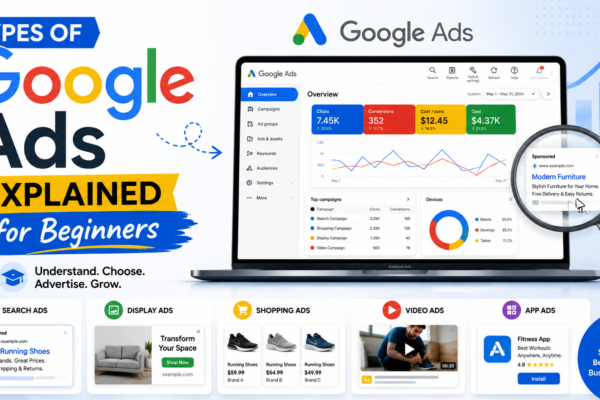
6 Types of Google Ads Explained for Beginners
Introduction
Many beginners want to learn Google Ads, but they get confused when they see different campaign types like Search, Display, Shopping, Video, Performance Max, and Demand Gen.
The truth is simple: every Google Ads type has a different purpose. Some ads are best for getting leads. Some are better for ecommerce sales. Some are useful for brand awareness. Some help you reach people across many Google platforms.
If you are searching for types of Google Ads, this guide will explain everything in simple words so even a beginner can understand.
Google Ads is a useful skill for students, freelancers, business owners, ecommerce sellers, Shopify store owners, and people who want to learn paid ads.
What Are Google Ads?
Google Ads is Google’s online advertising platform. Businesses use it to show paid ads on Google Search, YouTube, websites, apps, Shopping results, Gmail, Discover, Maps, and other Google placements depending on the campaign type. Google’s official help page explains that campaign types are chosen based on advertising goals, brand strategy, and available time.
In simple words:
Google Ads means paying Google to show your ads to people who may be interested in your product, service, store, or business.
Businesses use Google Ads to get:
- Website visitors
- Leads
- Sales
- Calls
- Product visibility
- Brand awareness
- YouTube views
- App installs
Why Beginners Should Learn Google Ads Types
Before running ads, beginners should understand the different types of Google Ads. If you choose the wrong campaign type, your budget can waste quickly.
For example:
- If people are searching for your service, Search Ads can help.
- If you sell products online, Shopping Ads can help.
- If you want to explain your offer through video, Video Ads can help.
- If you want Google automation across many placements, Performance Max can help.
Google Ads also offers different campaign and ad formats depending on campaign type and goal, such as Search, Display, Shopping, Video, App, Performance Max, and Demand Gen.
6 Types of Google Ads Explained
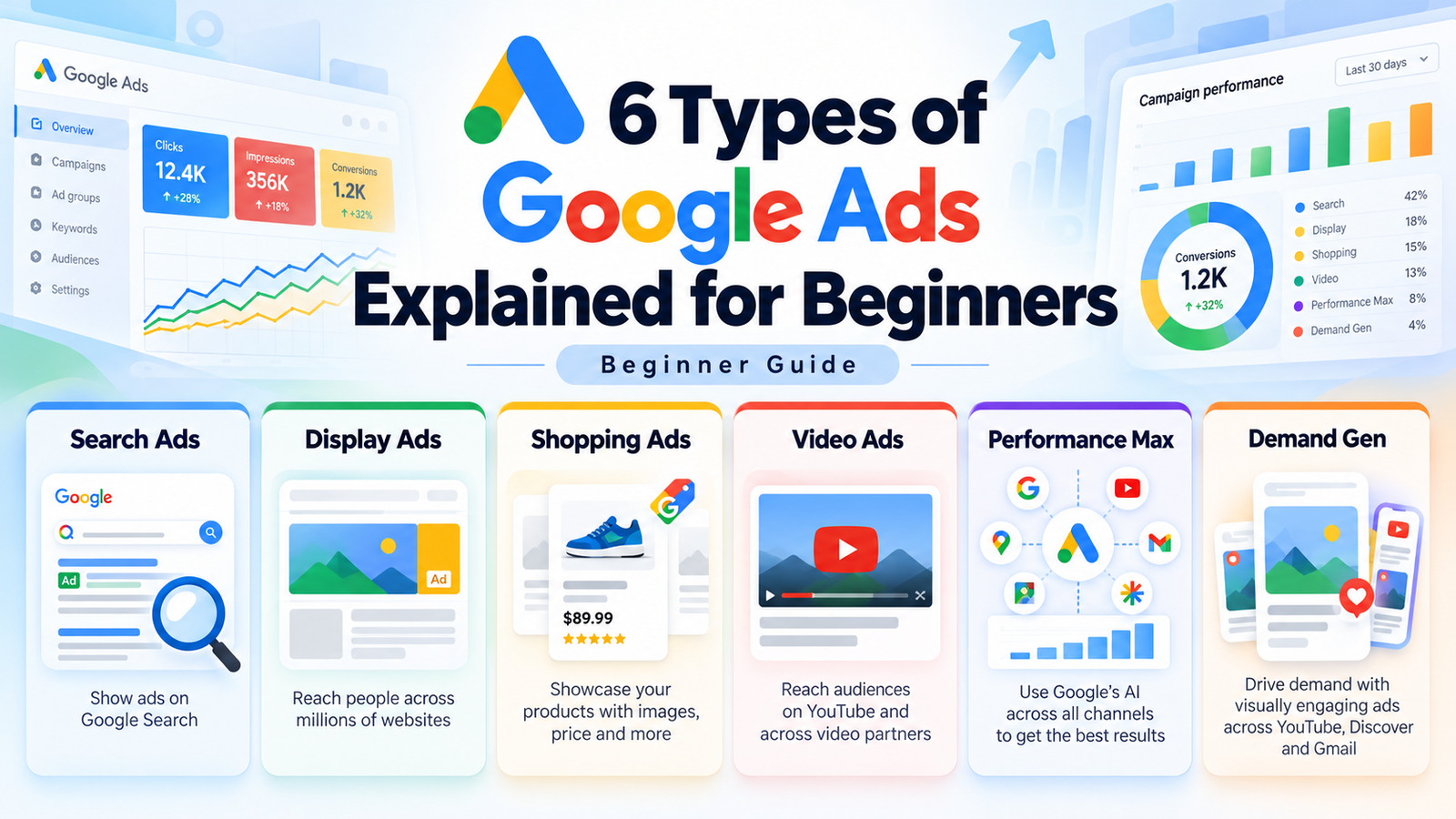
Here are the 6 important types of Google Ads beginners should know.
1. Search Ads
Search Ads appear on Google search results when people search for specific keywords.
Example:
A person searches “best digital marketing course” and sees an ad at the top of Google.
Search Ads are powerful because they target people who are already looking for something. Google describes Search campaigns as text ads on search results that help advertisers reach people while they are searching for products or services.
Search Ads are good for:
- Local businesses
- Service providers
- Online courses
- Clinics
- Consultants
- Real estate leads
- Shopify stores
For beginners, Search Ads are one of the best starting points because they teach keywords, ad copy, landing pages, CPC, and conversions.
2. Display Ads
Display Ads are visual banner ads that appear on websites, apps, and Google-related placements.
These ads usually include images, text, and call-to-action buttons.
Display Ads are useful for:
- Brand awareness
- Retargeting
- Product promotion
- Website traffic
- Visual offers
- Reminder ads
For example, if someone visits your website but does not buy, you can show them a Display Ad later to remind them about your offer.
In 2026, beginners should also know that Google is moving Google Display Ads campaigns toward Demand Gen, with Display Network inventory becoming available inside Demand Gen in phases.
3. Shopping Ads
Shopping Ads are used by ecommerce businesses. These ads show product images, prices, store names, and product details.
Example:
If someone searches “buy running shoes online,” Google may show product ads with images and prices.
Google explains that Shopping Ads use campaign settings and product data to create ads on eligible Google Network placements, and Shopping Ads can be managed through Shopping or Performance Max campaigns.
Shopping Ads are good for:
- Shopify stores
- Ecommerce brands
- Fashion stores
- Electronics stores
- Beauty product stores
- Product-based businesses
Before running Shopping Ads, your product feed, product images, pricing, website, and checkout should be properly set up.
4. Video Ads
Video Ads appear on YouTube and other video placements. These ads are useful when you want to explain your product, service, brand, or course through video.
Video Ads are good for:
- Online courses
- Product demos
- Brand awareness
- Coaching programs
- Ecommerce products
- App promotion
- Local business offers
Video ads are powerful because people can see and hear your message. For beginners, the first few seconds are very important. Your hook should quickly tell people why they should keep watching.
Google’s campaign guidance includes Video campaigns as a campaign type that can support awareness and other business goals.
5. Performance Max Ads
Performance Max is an advanced Google Ads campaign type. It allows advertisers to reach customers across multiple Google channels from one campaign.
Google describes Performance Max as a goal-based campaign type that can access Google Ads inventory from one campaign, including YouTube, Display, Search, Discover, Gmail, and Maps.
Performance Max can be useful for:
- Ecommerce stores
- Lead generation
- Local businesses
- Shopify stores
- Brands with clear goals
- Businesses with proper tracking
Performance Max uses Google AI and automation, but beginners should not depend on automation without understanding the basics. First learn Search Ads, landing pages, tracking, and conversion goals.
6. Demand Gen Ads
Demand Gen Ads are visual campaigns used to create interest and demand. These ads can show across places like YouTube, Discover, Gmail, and the Google Display Network.
Google explains that Demand Gen campaigns use video and image assets in a single campaign to drive action across Google’s discovery-style surfaces.
Demand Gen Ads are good for:
- Brand awareness
- Product discovery
- Course promotion
- Visual storytelling
- Ecommerce brands
- Audience building
- Retargeting-style campaigns
This type is useful when people are not actively searching yet, but they may become interested after seeing your ad.
Which Google Ads Type Should Beginners Learn First?
For most beginners, the best first Google Ads type is Search Ads.
Why?
Because Search Ads are based on keywords. People search for something, your ad appears, and they click if your offer is relevant. This makes the concept easier to understand.
A simple beginner roadmap can be:
- Learn Search Ads
- Learn landing pages and tracking
- Learn Display Ads and retargeting
- Learn Shopping Ads if you work with ecommerce
- Learn Video Ads for awareness
- Learn Performance Max and Demand Gen after basics
Do not try to master every campaign type in one week. Google Ads is a skill, and skills need practice.
Step-by-Step Roadmap to Learn Google Ads
Step 1: Learn Digital Marketing Basics
First, understand simple terms like customer, product, offer, traffic, lead, sale, conversion, landing page, and budget.
Step 2: Understand Campaign Goals
Every ad campaign should have a clear goal. Your goal can be traffic, leads, sales, calls, or awareness.
Step 3: Learn Search Ads
Start with keyword research, ad copy, CPC, CTR, landing pages, and conversions.
Step 4: Practice Ad Copywriting
A good Google ad should be simple, clear, and benefit-focused.
Your ad should explain:
- What you offer
- Who it is for
- Why people should click
- What action they should take
Step 5: Learn Tracking and Reporting
Google Ads is not only about launching ads. You must check results.
Track:
- Clicks
- Impressions
- CTR
- CPC
- Leads
- Sales
- Cost per conversion
- Conversion rate
Step 6: Build a Portfolio
If you want to earn from Google Ads as a freelancer, build sample campaign plans.
Your portfolio can include:
- Keyword research samples
- Ad copy examples
- Campaign structure
- Landing page suggestions
- Budget plans
- Mock reports
Common Mistakes Beginners Make
1. Choosing the Wrong Campaign Type
Choose the campaign type based on your goal, not randomly.
2. Using Very Broad Keywords
Broad keywords can waste money if you do not understand them properly.
3. Weak Landing Page
If your landing page is slow or confusing, people may leave after clicking.
4. No Conversion Tracking
Without tracking, you cannot know which campaign is working.
5. Expecting Instant Profit
Google Ads needs testing, learning, and optimization. It is not magic.
How Our Paid Ads Mastery Course Can Help
Free videos can help, but many beginners feel confused because the information is scattered. One video teaches Search Ads, another teaches Performance Max, another teaches keywords, and another teaches tracking.
Our Paid Ads Mastery course is designed for beginners who want to learn paid ads step by step.
Inside the course, you can learn:
- Google Ads basics
- Types of Google Ads
- Search Ads
- Campaign setup
- Keyword research
- Budget planning
- Ad copywriting
- Landing page basics
- Tracking and reporting
- Optimization
- Freelancing direction
The goal is to help beginners understand Google Ads practically, so they can run campaigns for businesses and offer paid ads services with confidence.
Final Advice
Understanding the types of Google Ads is important before spending money on campaigns.
The 6 main types beginners should know are Search Ads, Display Ads, Shopping Ads, Video Ads, Performance Max Ads, and Demand Gen Ads.
If you are a beginner, start with Search Ads first. Learn keywords, ad copy, landing pages, budget, and tracking. After that, you can learn other campaign types step by step.
Google Ads is a practical skill. The better you understand each campaign type, the better decisions you can make.
FAQs
1. What are the main types of Google Ads?
The main types of Google Ads include Search Ads, Display Ads, Shopping Ads, Video Ads, Performance Max Ads, and Demand Gen Ads.
2. Which Google Ads type is best for beginners?
Search Ads are usually best for beginners because they are based on keywords and are easier to understand.
3. Are Google Ads and PPC the same?
Google Ads is an advertising platform. PPC is a payment model where advertisers may pay for clicks. Many Google Ads campaigns use a PPC-style model.
4. Can I earn money by learning Google Ads?
Yes, you can earn by offering Google Ads services to local businesses, ecommerce stores, Shopify stores, online courses, and service providers.
5. Do I need a big budget to learn Google Ads?
No, you can start by learning the basics, creating sample campaigns, practicing keyword research, writing ad copy, and building a portfolio. Small test budgets can help later.

You may also like
7 Types of PPC Campaigns You Can Learn in 2026.
Types of Google Ads Explained for Beginners